
1. 개요
적응형(adaptive) 란 매체별 페이지를 별도로 제작하는 기술이다.
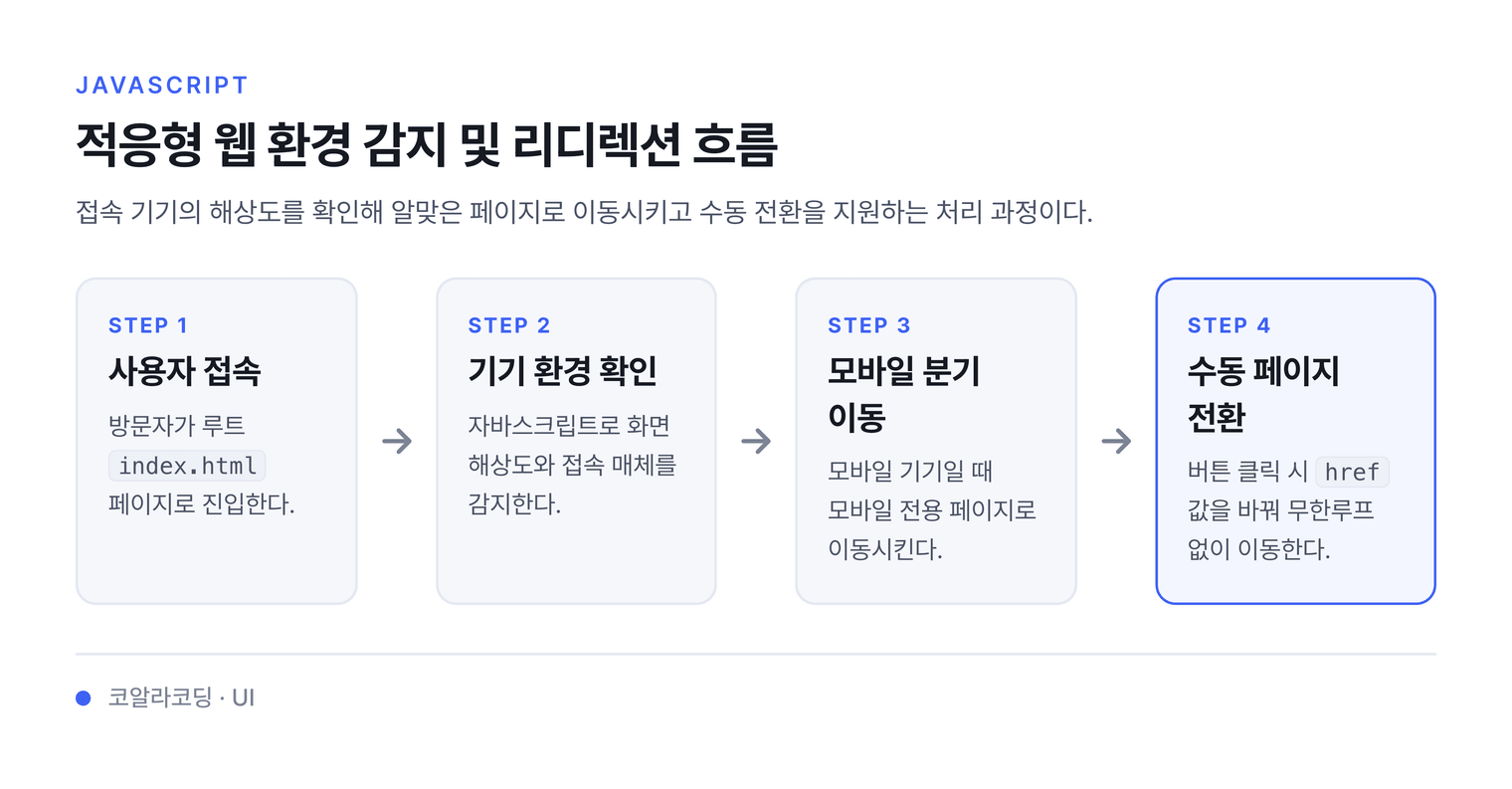
자바스크립트를 사용하여 사용자 접속 환경을 체크후 원하는 페이지로 리디렉션 한다.
2. 응용예제
예제
HTML
root/index.html
<!DOCTYPE html>
<html lang="ko">
  <head>
    <meta charset="UTF-8" />
    <meta name="viewport" content="width=device-width, initial-scale=1.0" />
    <title>PC</title>
  </head>
  <body>
    <h1>PC전용페이지</h1>
    <div class="pc">PC</div>
    <div class="mobile">Mobile</div>
  </body>
</html>
root/mobile/index.html
<!DOCTYPE html>
<html lang="ko">
  <head>
    <meta charset="UTF-8" />
    <meta name="viewport" content="width=device-width, initial-scale=1.0" />
    <title>모바일</title>
  </head>
  <body>
    <h1>모바일전용페이지</h1>
    <div class="pc">PC</div>
    <div class="mobile">Mobile</div>
  </body>
</html>
JS
사용자의 해상도를 확인하는 방법
/* https://developer.mozilla.org/ko/docs/Web/API/Window/devicePixelRatio */
if (window.devicePixelRatio > 1) {
  location.href = 'mobile/';
}
3. 각 페이지별 이동버튼 추가
pc와 모바일 페이지로 이동하는 버튼을 만들자
지시문
PC페이지 코드
<!DOCTYPE html>
<html lang="ko">
  <head>
    <meta charset="UTF-8" />
    <meta name="viewport" content="width=device-width, initial-scale=1.0" />
    <title>PC</title>
  </head>

  <body>
    <h1>PC전용페이지</h1>
    <button class="mobile">Mobile</button>
  </body>
  <script src="pc.js"></script>
</html>
//모바일 이동버튼 요소 선택
const mobile = document.querySelector('.mobile');
//사용자의 밀도 확인변수
let ratio;
//현재 파일 경로에 mobile 이라는 문자열이 포함되어 있는지 검사 있으면 true 없으면 fasle
let path = location.pathname.split('/').includes('mobile');
//현재 파일 경로 저장
const page = location.href;

// 현재 파일경로에 mobile 문자열이 없고 현재 파일 경로와 보고있는 파일경로가 같다면 (pc페이지 확인)
if (!path && location.href === page) {
  //현재 화면 밀도확인
  ratio = window.devicePixelRatio;
  // 밀도가 2보다 크면 모바일로 이동하고 1보다 작거나 같은면 현재 페이지를 연다
  if (ratio > 2) {
    location.href = 'mobile/';
  } else if (ratio <= 1) {
    location.href = page;
  }
}
//모바일 버튼 클릭시 페이지 이동
mobile.onclick = function (e) {
  e.preventDefault();
  location.href = 'mobile/';
};
모바일페이지 코드
모바일페이지에서 PC로의 이동시 픽셀비율을 확인하게 될 경우 무한루프에 빠지게 되므로 확인하지 않는다.
pc이동 버튼 클릭시에 href 값만 변경한다.
<!DOCTYPE html>
<html lang="ko">
  <head>
    <meta charset="UTF-8" />
    <meta name="viewport" content="width=device-width, initial-scale=1.0" />
    <title>mobile</title>
  </head>

  <body>
    <h1>모바일전용페이지</h1>
    <button class="pc">PC</button>
  </body>
  <script src="mobile.js"></script>
</html>
const pc = document.querySelector('.pc');
let path = location.pathname.split('/').includes('mobile');
const page = location.href;
pc.onclick = function (e) {
  e.preventDefault();
  if (path && location.href === page) {
    location.href = '../';
  }
};