
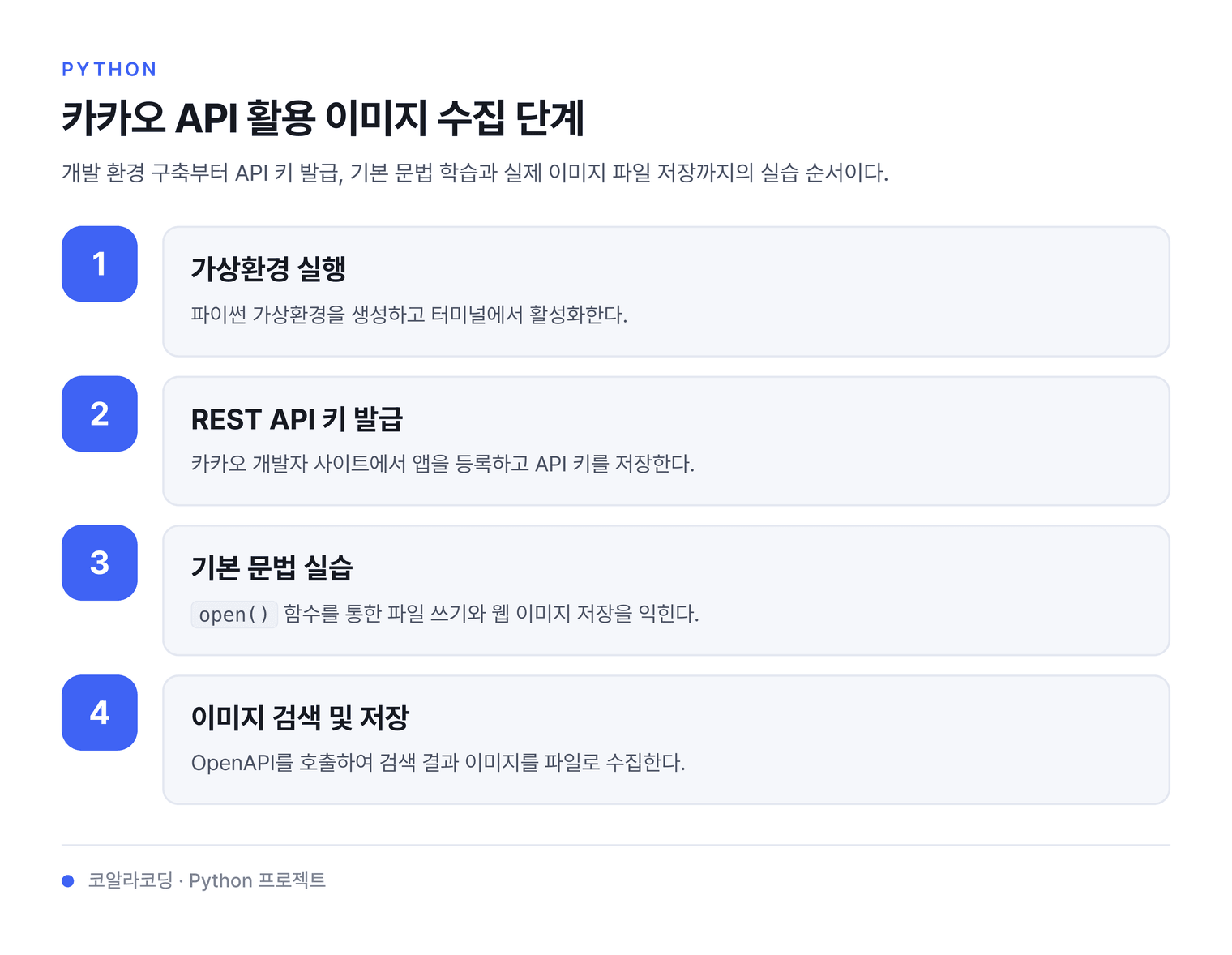
1. 카카오 이미지 검색 OpenAPI를 활용한 사진 수집
1.1. 파이썬 가상환경 실행 & 활성화
python -m venv venv
venv\Scripts\activate
1.2. 개발 환경 설정
-
카카오 개발자 사이트에 가입한다
-
애플리케이션(이하 앱)을 만들어 앱 키를 발급
-
RESTAPI키 복사하여 텍스트 파일로 저장
1.3. 기본 문법 익히기
1.3.1. 파일읽고쓰기
Code
data='hello'
with open('text.txt', 'w') as fp:
    fp.write(data)
with open('text.txt','r') as fp:
    print("result")
    print(fp.read())
Describe
| 줄 | 코드 | 설명 |
|---|---|---|
| 1 | data='hello' |
변수 data에 'hello' 저장 |
| 2-3 | with open('text.txt', 'w') as fp: |
파일을 쓰기 모드로 열기 |
| 3 | fp.write(data) |
파일에 'hello' 쓰기 |
| 4-6 | with open('text.txt','r') as fp: |
파일을 읽기 모드로 열기 |
| 5 | print("result") |
화면에 result 출력 |
| 6 | print(fp.read()) |
파일 내용을 읽어서 출력 |
1.3.2. 웹의 이미지 저장하기
내려받을 이미지의 주소입니다.
https://qwerew.cafe24.com/images/1.jpg# pip install requests
import requests
# 내려받을 이미지 주소
url = "https://qwerew.cafe24.com/images/1.jpg"
# 서버가 브라우저 요청으로 인식하도록 보내는 정보
headers = {
"User-Agent": "Mozilla/5.0 (Windows NT 10.0; Win64; x64) AppleWebKit/537.36"
}
# timeout=10 은 10초 안에 응답이 없으면 포기한다는 뜻입니다
response = requests.get(url, headers=headers, timeout=10)
print(f"응답 코드: {response.status_code}")
if response.status_code == 200:
# "wb" 는 그림 같은 파일을 쓸 때 사용합니다
with open("test.jpg", "wb") as fp:
fp.write(response.content)
print("저장 완료")
else:
print(f"오류 발생: {response.status_code}")1.4. 카카오 이미지 검색 코드
import requests
import json
# 이미지가 있는 image_url을 통해 file_name 파일로 저장하는 함수
def save_image(image_url, file_name):
    img_response = requests.get(image_url)
    # 요청에 성공했다면,
    if img_response.status_code == 200:
        # 파일 저장
        with open(file_name, "wb") as fp:
            fp.write(img_response.content)
# 이미지 검색
url = "https://dapi.kakao.com/v2/search/image"
headers = {
    "Authorization": "KakaoAK <REST_API 앱 키를 입력하세요>"
}
data = {
    "query": "펭수"
}

# 이미지 검색 요청
response = requests.get(url, headers=headers, params=data)
# 요청에 실패했다면,
if response.status_code != 200:
    print("error! because ", response.json())
else:  # 성공했다면,
    count = 0
    for image_info in response.json()['documents']:
        print(f"[{count}th] image_url =", image_info['image_url'])
        # 저장될 이미지 파일명 설정
        count = count + 1
        file_name = "test_%d.jpg" % (count)
        # 이미지 저장
        save_image(image_info['image_url'], file_name)
이미지 저장 갯수 지정
import requests
import json
# 이미지가 있는 image_url을 통해 file_name 파일로 저장하는 함수
def save_image(image_url, file_name):
    img_response = requests.get(image_url)
    # 요청에 성공했다면,
    if img_response.status_code == 200:
        # 파일 저장
        with open(file_name, "wb") as fp:
            fp.write(img_response.content)
# 이미지 검색
url = "https://dapi.kakao.com/v2/search/image"
headers = {
    "Authorization": "KakaoAK RESTAPI키"
}
data = {
    "query": "펭수"
}

# 이미지 검색 요청
response = requests.get(url, headers=headers, params=data)
# 요청에 실패했다면,
if response.status_code != 200:
    print("error! because ", response.json())
else:  # 성공했다면,
    save_n = 5  # 저장할 이미지 갯수
    count = 0
    for image_info in response.json()['documents']:
        print(f"[{count}th] image_url =", image_info['image_url'])
        # 저장될 이미지 파일명 설정
        count = count + 1
        file_name = "test_%d.jpg" % (count)
        # 이미지 저장
        save_image(image_info['image_url'], file_name)
        # 지정한 갯수만큼 저장하면 중단
        if count >= save_n:
            break